

AI Photo Editor: Gallery Vault
Advertisement
Screenshots

Advertisement
About AI Photo Editor: Gallery Vault
Overview
core functions
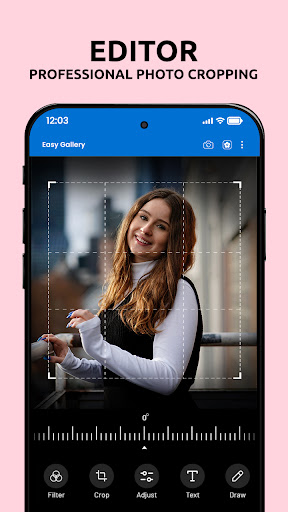
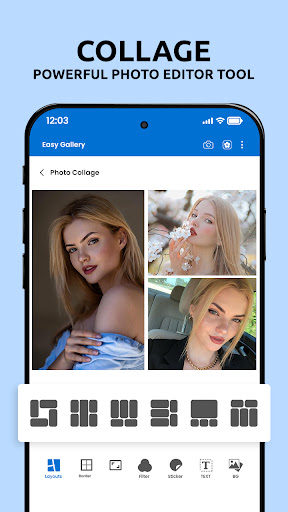
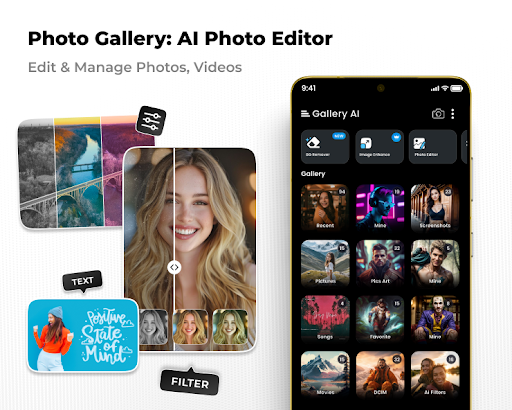
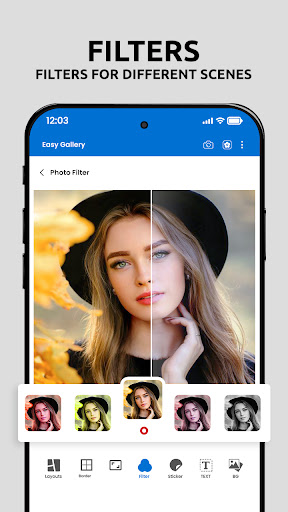
- These advanced photo editing tools, including filters, cropping, masking, etc., allow you to easily make your photos look beautiful.
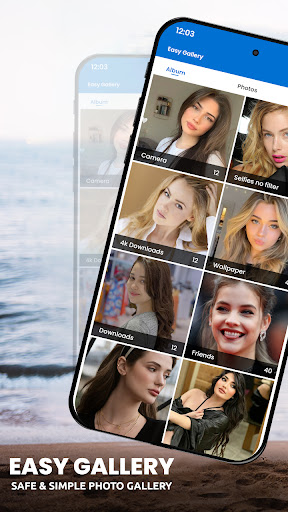
- The album management function allows you to organize and browse photos smoothly, making the whole process worry-free and smooth.
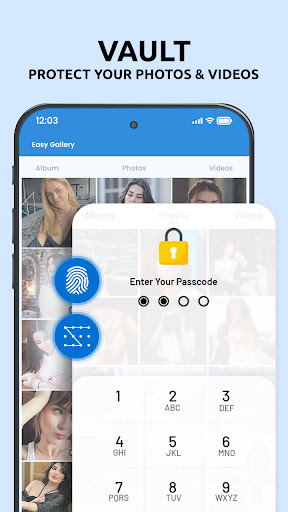
- Safe photo album safe, lock your private photos with a PIN code or fingerprint lock, and feel quite at ease.
- The batch editing function can adjust several pictures at once, saving a lot of time.
- Support high-definition export to ensure that your edited photos look clear and bright and satisfying.
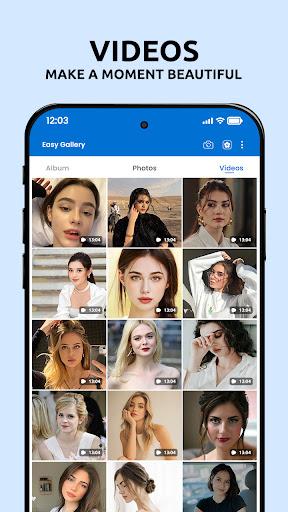
- Built-in video editing makes it easy to create a flash story or slide show, and the operation can be done on your mobile phone.
- Offline mode allows you to edit and view photo albums without the Internet. It is very convenient and sometimes it is suitable to take them out of the house.
Who is this APP suitable for?
This mobile app is especially suitable for those who like to take photos and usually like to toss photos. If you want an editing tool that is simple to operate and more powerful, I didn't expect a more suitable one on an Android phone. Whether they are teenagers or elders, as long as they want to use their mobile phones to manage and change photos, they can basically do it.
Whether you are preparing photos for social platforms, protecting your private photos, or taking photos casually in your daily life to make it look better, this app will bring you convenience. The interface is intuitive and easy to use, and even novices who don't know much about retouching can quickly master it, but the functions are in-depth, leaving room for experienced users.
Why choose this app
This Android app stands out with its powerful feature combination and smooth experience, making it ideal for people who want easy-to-use photo editing and album security. It provides a reliable solution that is both practical and trustworthy.
Pay attention to user privacy and is easy to use. It helps you easily improve the effects of your photos while also protecting your private content. This straightforward and easy-to-operate style is very practical for many people in photography applications and is worth a try.
Top Recommended Alternative

Pros & Cons
Pros
-
Photo privacy protection is particularly powerful
-
Super friendly interface
-
Diversified safe customization options
-
Additional file management capabilities
-
Hidden app icons
Cons
-
Limited free storage space
-
Occasionally break down
-
Cloud backup is not supported
-
Weak cross-platform compatibility
-
Unable to customize password recovery
Advertisement
Download AI Photo Editor: Gallery Vault
FAQ
Is AI Photo Editor: Gallery Vault safe to use on my Android device? +
Well, AI Photo Editor: Gallery Vault is quite reliable. It is basically a secure application and still respects your privacy and data security. Developers are quite reputable and often update and maintain them to ensure that they can use them with peace of mind on Android phones.
Remember, you still have to download apps from reliable channels, such as Google Store, and then carefully check permissions, so that your privacy and data can be guaranteed, and you can have fun and feel at ease.
How do I install AI Photo Editor: Gallery Vault on my phone? +
The operation is actually quite simple. Go to Google Play and search for "AI Photo Editor: Gallery Vault" and click on the installation. This software is designed very conveniently and easy to use, and you can use various functions immediately.
Remember to make sure that your device meets the minimum system requirements and follow the latest version information. Once installed, you'll be able to experience the features that make photo management and editing even more powerful.
Can I use AI Photo Editor: Gallery Vault offline? +
Of course! One of the advantages of this software is that many functions can be used without networking, and the operation is smooth. You can edit and organize photos directly on your mobile phone without worrying about network problems at all.
In this way, it is also very practical, especially when the network environment is unstable or you want to protect your privacy and don't want to use the cloud. Managing your own photos is safe and convenient.
Does AI Photo Editor: Gallery Vault offer updates for new features? +
Of course, developers will push updates regularly, bringing new features, optimized experiences, and security patches. Only by keeping the software up to date can you enjoy the best experience.
Moreover, frequent updates also show that the development team cares about the user experience and wants to provide everyone with a reliable and trustworthy photo management and editing tool. Use it with confidence!
What kind of app features does AI Photo Editor: Gallery Vault include? +
This app is quite comprehensive, has photo editing tools, protects privacy, and organizes photo albums. It is both a photo album safe and an editor. It is very multi-faceted.
The interface is very simple and easy to use. You can easily use it to edit photos, secretly hide important pictures, and create your own exclusive photo album. The operation process is smooth and the experience is quite intimate.
Is AI Photo Editor: Gallery Vault suitable as a launcher app for photos? +
Although it is mainly a photo album safe and photo editor, it can also serve as a quick entry point to open your photos, allowing you to quickly access photo albums and hidden media files. It also makes your photo management more convenient and the experience smoother.
That is to say, if you want to find an app that is specifically used to manage photo albums and is particularly easy to operate, this is quite suitable and convenient to use on an Android phone.
Can I trust AI Photo Editor: Gallery Vault for managing sensitive photos? +
Absolutely! This software is designed with security in mind and can protect your more private photos. It uses encryption and password protection to ensure that your album content is not targeted or leaked.
Developers value the trust of users and the security of data. Relying on high-end security measures, this software is quite reliable to use. As long as you can put private photos in it, you can use it safely.
What should I do if I experience problems with the app? +
If you encounter problems, first check whether your device meets the latest application requirements and whether the software version is up to date. Sometimes restarting your phone can solve some temporary problems.
If it still doesn't work, check the software's help instructions or contact customer service. Support contact information can usually be found on the Google Play page. Only by using reliable software can the experience of playing with your mobile phone be smoother and safer. Use it with confidence!
Customer Reviews
Users generally appreciate the app's ease of use and clear photo display, with many calling it an excellent, reliable tool. However, concerns arise around frequent ads, functional limitations (e.g., language issues, excessive data preventing opening, and restricted PRO usage), plus some flagging it as a fraudulent app pushing loan offers. While some find it simple and effective for basic editing, others struggle with intrusive advertising and unmet expectations, especially for video editing or old-photo filtering. Overall, it’s praised for simplicity but criticized for ads and inconsistency.
Write a Review
Share your experience with AI Photo Editor: Gallery Vault. Submissions are reviewed before publishing.
You Might Also Like
More apps you may want to try next.




